
Live call

A live call assistant for reminders

Squirrel Brain places a real phone call for the reminder you can't miss. When you answer, it's a live two-way conversation — an AI voice talks with you, and you can talk right back. Not a canned recording.

Join the launch list — we'll email you the moment Squirrel Brain is ready.

Watch it work
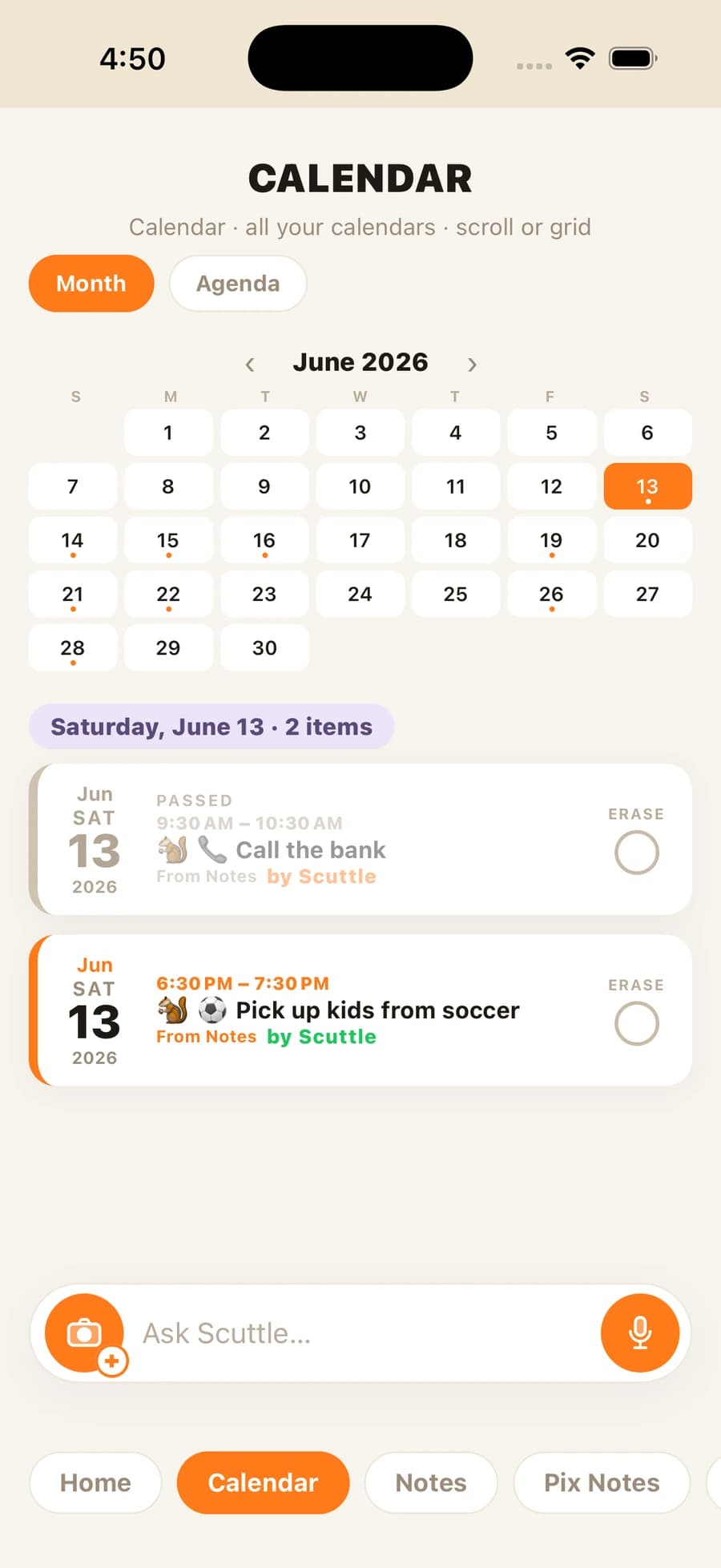
Squirrel Brain calendar showing a reminder set to ring the phone like a call

See it for yourself

Let Scuttle call you — right now

This is the real thing: tap the phone and your squirrel rings you in its own voice — the same call that reaches you when something actually matters. No download, no sign-up.

👆 Tap the phone to play the demo
9:41
Squirrel Brain
Your squirrel — Squirrel Brain
Scuttle
Squirrel Brain
INCOMING CALL

Tap anywhere to play the demo.

Decline
Accept

That’s Scuttle’s real voice. In the app it’s a two-way call — you answer and talk back, and it does what you ask.

Notifications fail

A banner you swipe away is not a reminder

A banner notification competes with fifty others, disappears when your phone is face-down, and is gone the moment you swipe. For something that genuinely matters, a quiet, dismissible alert is the wrong tool.

You talk back

Answer, and it's a live two-way conversation

Answer it and you're not just listening — you talk back. Tell your squirrel to move the meeting, add a note, or walk you through your day, and it handles it right there on the call, out loud, in its own voice. A real back-and-forth conversation, not a recording. You can also call it back and ask, or have it call you — both directions.

  • Rings on your ringer, vibrates on silent, on a locked screen
  • Move a meeting, ask what's next, or add a reminder — mid-call
  • An AI voice speaks your reminder and your day — not a canned recording

You decide

You pick what it says and which reminders are worth a call

You set the schedule and what you want to hear — a reminder, a pep talk, a recap of your day, or a prep call before a meeting that covers your key points. Not every reminder calls you. You decide which ones escalate to a call and which stay as a normal nudge, so a ring always means it matters.

One app for everything you don’t want to forget

Live call is one of the things Squirrel Brain does. The Squirrel Brain AI reminder app turns voice notes, photos, screenshots, texts, and emails into reminders, alarms, notes, and calendar events — then makes sure you follow through.

Join the launch list

Common questions

Questions, answered

What is a live call assistant for reminders?

It's Squirrel Brain's phone-call reminder. For things you can't miss, it places a real phone call that rings when your ringer's on, vibrates on silent, and reaches you on a locked screen. When you answer, it's a live two-way conversation: an AI voice talks with you, and you can talk right back — move a meeting, ask what's next, add a reminder — mid-call. Not a canned recording.

Is it actually a phone call?

Yes. It rings your phone like a real call — ringing when your ringer's on, vibrating on silent — and shows on your locked screen. When you pick up, an AI voice talks to you in plain language.

Can I talk back on the call?

Yes. You can talk right back — move a meeting, ask what's next, or add a reminder — mid-call. You can also call it back and ask, or have it call you. Both directions.

Does every reminder call me?

No. You decide which reminders escalate to a call and which stay as a normal nudge, so a ring always means it matters.

Does it work on iPhone?

Yes — Squirrel Brain is an iPhone app. There is no Android app. It's pre-launch, so join the launch list to be first into the beta.

Stop trying to remember it all

Join the launch list — we’ll email you the moment Squirrel Brain is ready.

Join the launch list